deleting inactive flow versions using agentforce vibes
using this approach from sfse, in agentforce vibes
- log in to vibes
- create a new text file directly in the root folder. in my example i named it rmflow.sh
- enter the script into the file. i havent figured out how to get $USERNAME to work in vibes, so i just hard code my username
sfdx force:data:soql:query --query "SELECT Id FROM Flow WHERE Status != 'Active' AND  Definition.NamespacePrefix = '' " --target-org gsethXXX@XXX.org.dev --use-tooling-api --result-format csv > flowTodelete.csv

while read c; do
    if [[ "$c" != "Id" && "$c" != "Your query returned no results." ]]
        then
            sfdx force:data:record:delete --sobject Flow --record-id $c --target-org gsethXXX@XXX.org.dev --use-tooling-api
    fi
done < flowTodelete.csv

rm flowTodelete.csv
- in terminal, type chmod +x rmflow.sh (this makes the file executable)
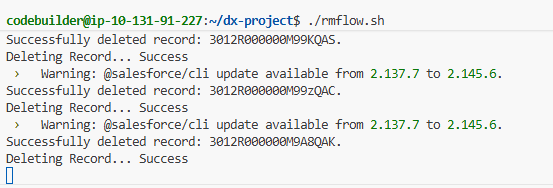
- type ./rmflow.sh (this runs the script)
it will delete the inactive flows (and process builders for you geezers) one at a time…
vibes now sensibly only launches from sandboxes. so to do this for prod, you need to authenticate to prod from a sandbox, and update your username in the script.
0
Kudos
0
Kudos